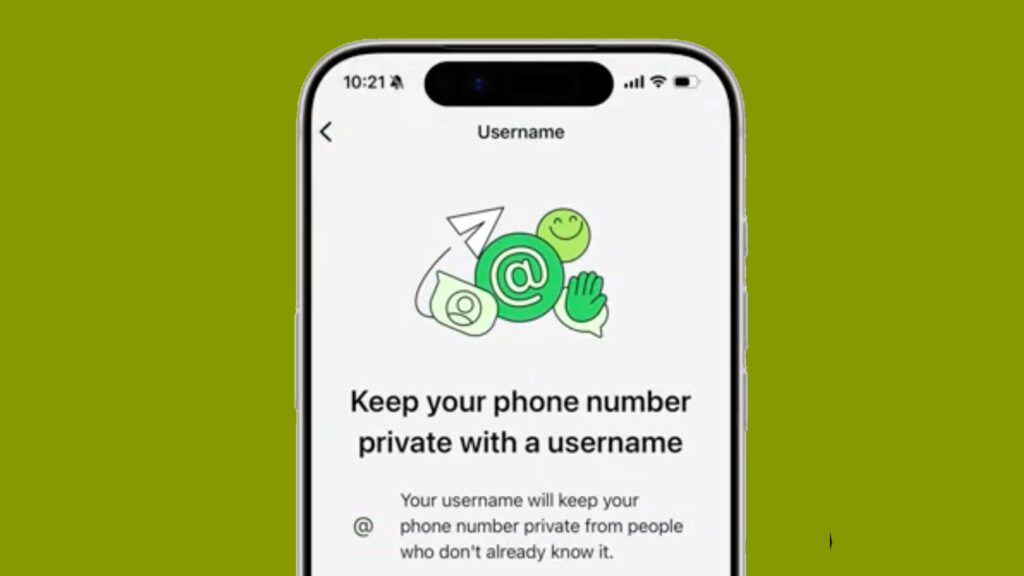

WhatsApp is set to make connecting with people more private by introducing usernames, a long-awaited feature that will allow users to communicate without revealing their phone numbers. The new system is designed to strengthen privacy while giving users greater control over who can contact them.
The feature will be introduced in phases, with username reservations beginning before the full rollout later this year.
WhatsApp Moves Beyond Phone Numbers
Since its launch, WhatsApp has relied on mobile numbers as the primary way for users to connect. That approach is now changing.
With the upcoming update, users will be able to create a unique username that can be shared instead of a phone number. When someone contacts you using your username, your mobile number will remain hidden unless you decide to share it.
The change is aimed at making conversations with new contacts, businesses, and large groups more secure.
Where Your Phone Number Will No Longer Be Visible
Once usernames are enabled, WhatsApp will hide your phone number in several common scenarios, including:
- Joining large group chats.
- Receiving a message from someone for the first time.
- Starting a conversation with a business or another user through your username.
This gives users an extra level of privacy, especially when interacting with people they don’t know personally.
WhatsApp Username Rules
To maintain a secure experience, WhatsApp has introduced several guidelines for usernames:
- Usernames must be between 3 and 35 characters.
- Every username must be unique.
- There will be no public search directory for usernames.
- People must know your exact username to contact you.
- Users can enable a Username Key, which adds another layer of security for first-time conversations.
- If your preferred username isn’t available, WhatsApp may suggest alternatives through a built-in generator.
How to Create or Reserve a Username
After the feature becomes available for your account, follow these steps:
- Launch WhatsApp.
- Open Settings.
- Tap Account.
- Select Username.
- Enter and reserve your preferred username.
WhatsApp says the process is simple and only takes a few moments.
Businesses and Creators Get Priority
Businesses, creators, and organizations with an established presence on Instagram or Facebook will be able to reserve matching usernames on WhatsApp.
The move is intended to help brands maintain a consistent identity across Meta’s ecosystem and make it easier for customers to recognize official accounts.
Focus on Security
To prevent impersonation, WhatsApp will block certain usernames from being registered. Reserved names may include those linked to celebrities, government departments, public figures, and major organizations.
These safeguards are designed to reduce scams and fake accounts once usernames become widely available.
Rollout Schedule
WhatsApp has confirmed that the feature will not arrive for everyone at once.
- Username reservations are opening in stages.
- The full feature will begin rolling out later in 2026.
- Availability will expand gradually across countries.
- Users will receive an in-app notification when the feature reaches their account.
A Major Privacy Upgrade for WhatsApp Users
The introduction of usernames marks one of WhatsApp’s biggest privacy-focused updates in years. Instead of depending entirely on mobile numbers, users will soon have a safer way to connect with friends, businesses, and communities.
As competition among messaging platforms continues to grow, the new username system is expected to make WhatsApp more convenient while giving users greater control over their personal information.