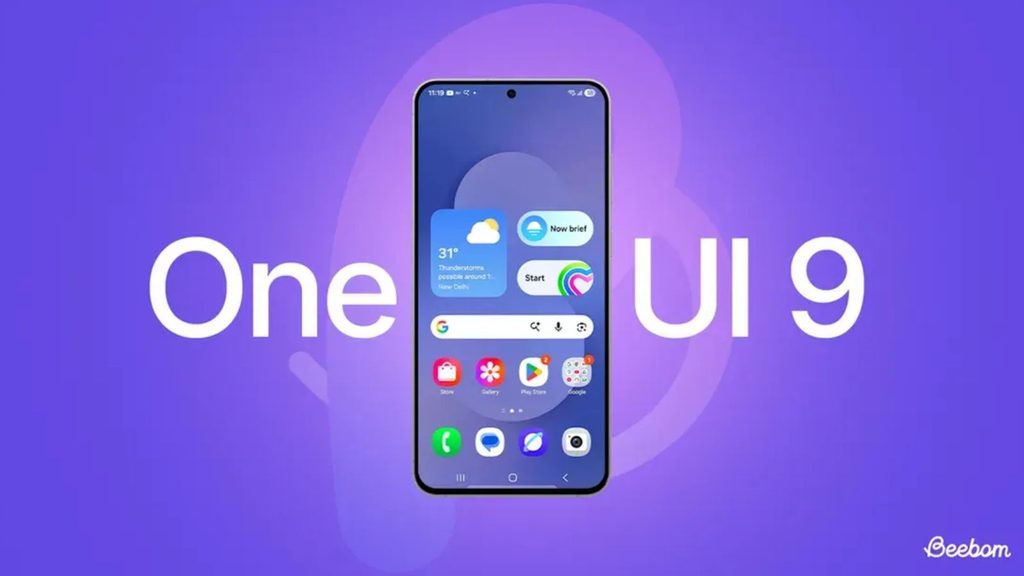

Android 17 is giving smartphone makers another opportunity to differentiate their software experiences, and two of the biggest names in this space are Samsung and OPPO.
Samsung’s One UI 9 and OPPO’s ColorOS 17 both bring new features, visual changes and deeper artificial intelligence integration. However, the two interfaces take different approaches to improving the Android experience.
One UI 9 is more focused on Samsung’s Galaxy ecosystem and Google’s Gemini AI, while ColorOS 17 puts greater emphasis on visual design, system performance and cross-brand integration.
Here’s a closer look at how the two Android 17-based interfaces compare.
ColorOS 17 vs One UI 9: At a Glance
| Category | ColorOS 17 | One UI 9 |
|---|---|---|
| Android version | Android 17 | Android 17 |
| Software maker | OPPO | Samsung |
| Current status | Beta testing | Stable rollout |
| Design | Liquid Acrylic-inspired interface | Refined One UI design |
| AI | Xiaobu and AI-powered tools | Gemini and Galaxy AI |
| Performance | Rendering and memory optimizations | Multitasking and system optimizations |
| Battery | Improved background and system management | Battery protection and bypass charging |
| Ecosystem | OPPO, OnePlus and Realme | Galaxy phones, tablets, watches and PCs |
| Desktop experience | Limited compared with Samsung | Samsung DeX |
| Long-term support | Depends on device | Up to seven Android upgrades on supported flagships |
Feature availability can vary by smartphone model and region.
Design Takes a Different Direction
ColorOS 17 introduces a refreshed interface with a translucent liquid acrylic visual style. The design uses blur, lighting effects and rounded elements to give menus and system controls a more modern appearance.
OPPO’s approach is not simply about adding more transparency. The company has reportedly worked on reducing the intensity of visual refraction so that the interface remains readable without placing unnecessary demands on the GPU.
Samsung is taking a more familiar approach with One UI 9. Instead of completely redesigning the interface, the company continues to refine the visual language introduced in previous One UI releases.
Users can expect changes to system panels, animations, media controls and interface customization while retaining the familiar One UI experience.
If you prefer a more dramatic visual refresh, ColorOS 17 may feel more exciting. One UI 9, meanwhile, is more evolutionary.
AI Is Central to Both Platforms
Artificial intelligence has become a major part of smartphone software, and both OPPO and Samsung are expanding their AI capabilities.
One UI 9 benefits from Samsung’s close integration with Google Gemini. On supported Galaxy devices, Gemini can understand screen context and assist with tasks across compatible applications.
Samsung is also introducing more contextual features designed to suggest actions based on what the user is doing.
ColorOS 17 is expected to bring an updated Xiaobu AI assistant, along with additional AI-powered photography and productivity tools.
However, there’s an important difference: Samsung’s AI implementation is already available on supported devices, while several ColorOS 17 AI capabilities remain tied to beta testing and early reports.
For that reason, Samsung currently has the more established AI experience.
Multitasking and Everyday Performance
Both interfaces aim to make Android 17 feel faster and more responsive.
ColorOS 17 reportedly improves memory management, CPU scheduling and app retention. These changes are intended to reduce situations where applications reload when users move between them.
OPPO is also improving its rendering system to deliver smoother scrolling and transitions, particularly on devices with mid-range hardware.
One UI 9 continues Samsung’s focus on productivity. Features such as enhanced split-screen controls, floating applications and improvements to Samsung DeX make it particularly useful for people who frequently multitask.
In everyday use, the difference between the two will depend heavily on the smartphone’s processor, RAM and optimization rather than software alone.
Battery Management
Battery efficiency is another area receiving attention.
OPPO is expected to introduce additional system-level optimizations with ColorOS 17 to reduce unnecessary background activity and improve power efficiency during lighter workloads.
Samsung has also expanded battery-related controls. Compatible Galaxy smartphones support features such as bypass charging, which can help reduce battery stress during extended gaming sessions while the phone remains connected to a charger.
For heavy users, these features can be more important than simply having a large battery because they can help maintain battery health over a longer period.
Privacy and Security
Samsung continues to build additional security controls into One UI.
One UI 9 offers more ways to manage app permissions and monitor potentially risky applications. Samsung also provides security-related information so users can better understand how the system is protecting their device.
ColorOS 17 is expected to take a more automated approach. Reports point toward improved permission monitoring and AI-assisted security features that can identify unusual application activity.
However, because ColorOS 17 is still being tested, its final security feature set could change before the public release.
Samsung Still Has the Stronger Ecosystem
The biggest advantage of One UI 9 is arguably not the phone itself but the wider Galaxy ecosystem.
Samsung offers smartphones, tablets, smartwatches, wireless earbuds, laptops and other connected devices. Features such as Samsung DeX and cross-device functionality allow users to move between devices more easily.
OPPO has been building its own ecosystem with smartphones, tablets and wearables. ColorOS 17 could also become more significant because of its connection with the wider OPPO family, including OnePlus and Realme devices.
That gives OPPO a potentially much larger software footprint, although Samsung’s ecosystem remains more mature.
Software Support Could Be a Major Factor
For people who keep their smartphones for several years, software support is particularly important.
Samsung’s flagship Galaxy smartphones are backed by a long update commitment, with supported models eligible for up to seven generations of Android updates.
OPPO’s support period varies by model and market. Flagship devices generally receive longer support than entry-level and budget phones.
As a result, Samsung remains the safer choice for buyers who want to keep their phone for a long period.
Which Android 17 Interface Is Better?
The answer largely depends on what you expect from your smartphone.
One UI 9 makes more sense if you want:
- Strong Gemini and AI integration
- A mature ecosystem of connected devices
- Samsung DeX
- Long-term software support
- A familiar and refined interface
ColorOS 17 could be the better choice if you prefer:
- A more noticeable visual refresh
- Smooth animations and transitions
- Aggressive performance optimization
- OPPO’s upcoming AI features
- A software platform shared across supported OPPO-family smartphones
Final Verdict
At this stage, One UI 9 has the advantage in maturity and ecosystem integration, while ColorOS 17 is potentially more interesting from a design and performance perspective.
The comparison could change once OPPO releases the stable version of ColorOS 17. Some of its most interesting AI and performance features are still being tested, so it is too early to judge the final experience.
For now, Samsung is the better option for users who want a proven Android 17 experience with strong AI capabilities and long-term support. ColorOS 17, however, could become a serious alternative once its stable rollout begins.