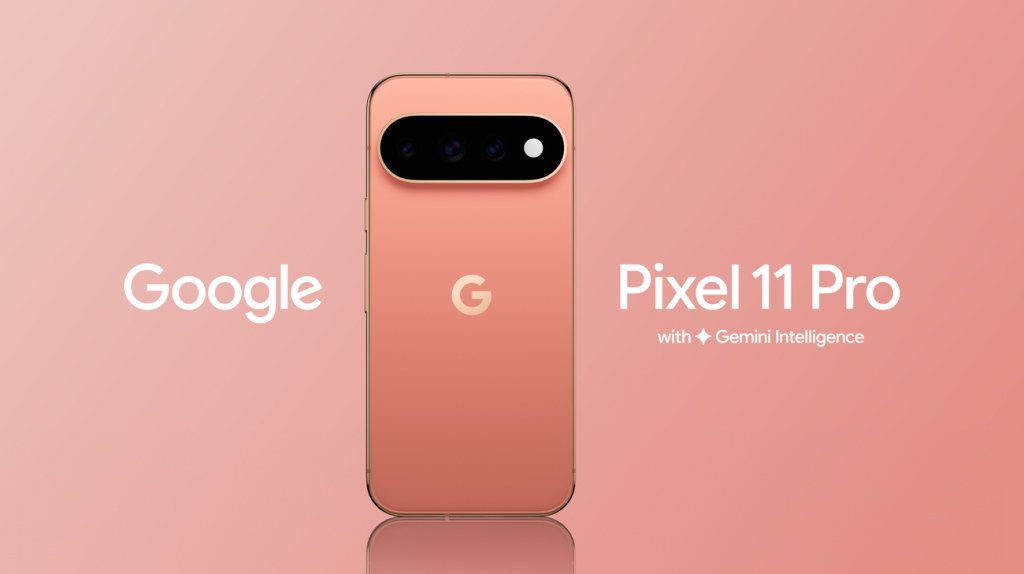

Google’s latest flagship, the Pixel 11 Pro, puts software and artificial intelligence at the centre of the smartphone experience. The phone arrives with Android 17 and Google’s new Tensor G6 processor, along with a collection of features designed to make everyday tasks, content creation and device management easier.
While the Pixel 11 Pro does not completely change the Android experience, Google has introduced several useful improvements, including better data migration, enhanced Quick Share functionality, Gemini-powered features and new camera tools.
Here’s what stands out about the Pixel 11 Pro.
Android 17 Is the Main Software Highlight
The Pixel 11 Pro runs Android 17 from the start. Google is promising seven major Android upgrades along with seven years of security updates, giving the phone a long software-support cycle.
The overall interface remains familiar to anyone who has used a recent Pixel phone. However, Android 17 brings several smaller changes that improve the day-to-day experience.
The quick settings panel has received some attention, with Wi-Fi and mobile data controls now separated. Google has also refined the frosted visual treatment used in parts of the interface and allows users to adjust the horizontal size of quick-setting controls.
Switching to Pixel Gets Easier
Google has made the process of moving from an existing smartphone to a new Pixel more comprehensive.
The updated transfer system can move more than just photos and videos. Depending on compatibility, users can also transfer information such as eSIMs, messages, saved passwords and app data.
This is particularly useful for people moving from iPhone to Android, as transferring important information has traditionally been one of the more inconvenient parts of switching platforms.
Quick Share Moves Closer to a Cross-Platform Experience
File sharing between Android and Apple devices is also becoming easier.
Android 17’s updated Quick Share can work with Apple’s AirDrop ecosystem, allowing users to exchange files more conveniently between supported Android and Apple devices.
For households and workplaces where people use a mix of Android and Apple devices, this could be one of the more practical changes in the new software.
More Multitasking Options
Android 17 introduces floating App Bubbles, allowing users to keep applications accessible in small floating windows.
An app can be converted into a bubble from its icon, and several bubbles can be kept together on the screen. This provides another way to multitask without repeatedly opening the recent-apps screen.
It is a relatively small addition, but it can be useful when switching between multiple applications.
Screen Reaction Adds a New Twist to Screen Recording
Google has expanded the traditional screen-recording feature with Screen Reaction.
The feature can record the smartphone display while simultaneously capturing the user’s reaction through the front camera. It can also include device audio, surrounding sound and touch indicators.
That makes the feature particularly interesting for creators who want to record reactions to videos, games, social media content or other activity on their phones.
Magic Capture Focuses on Getting the Right Shot
The Pixel 11 Pro’s camera software also gets a feature called Magic Capture.
Instead of relying on a single photograph, the feature records video and captures multiple frames. The phone then selects images it considers the strongest and applies automatic adjustments such as cropping, straightening and reducing blur.
The idea is simple: capture the moment first and let the phone help find a better still image afterward.
Gemini Gets Deeper Into Google’s Apps
Artificial intelligence is another major part of Google’s Pixel strategy.
On the Pixel 11 Pro, Gemini can work with information across Google’s applications, giving it more context about things such as messages, contacts, calendars and upcoming plans.
This allows Gemini to perform more complicated actions instead of simply answering questions. For example, it can assist with creating a calendar entry or making arrangements based on information available through connected apps.
Google is also using Gemini Intelligence to suggest actions based on what the user is doing. However, the automatic suggestions are not always consistent, which means the feature may still need refinement.
HiLight Is Interesting, But Limited
Google has added another unusual feature to the Pixel 11 series called HiLight.
It is an RGB LED positioned around the rear flash. The light can activate during hands-free Gemini interactions and when selected favourite contacts call.
Visually, it gives the rear of the phone something distinctive. But its usefulness is currently limited because it does not function as a general-purpose notification light.
For example, it does not illuminate for ordinary notifications, and because it is located on the back, users may not see it when the phone is placed screen-up.
Tensor G6 Powers the Pixel 11 Pro
Under the hood, Google’s latest Tensor G6 chipset powers the Pixel 11 series.
The processor continues to use a 3nm manufacturing process. Google claims that the new chip improves efficiency while delivering a significant boost in AI computing capability compared with the previous generation.
The Tensor G6 uses a seven-core CPU configuration consisting of:
- One ARM C1-Ultra core clocked at 4.1GHz
- Four ARM C1-Pro cores running at 3.4GHz
- Two ARM C1-Pro cores running at 2.65GHz
The CPU cores operate at higher clock speeds than those of the previous generation.
Gaming May Not Be Its Biggest Strength
The graphics side of the Tensor G6 is more complicated.
Google has opted for an IMG CXTP-48-1536 GPU from Imagination. Unlike the newer graphics architecture used with the Tensor G5, the Tensor G6 uses an older Series C-based design.
The GPU also does not support ray tracing, while game-developer support for the architecture could be more limited.
As a result, the Pixel 11 Pro appears more focused on Google’s software and AI capabilities than on competing purely through gaming graphics performance.
RAM and Storage Options
The Pixel 11 Pro is available with 12GB or 16GB of RAM, depending on the storage model.
The 256GB version comes with 12GB RAM, while the 512GB and 1TB models get 16GB RAM. All configurations use UFS 4 storage.
Google has also increased the minimum storage capacity to 256GB, removing the 128GB option.
Google Pixel 11 Pro: What Stands Out?
The Pixel 11 Pro is clearly designed around Google’s software ecosystem rather than simply chasing hardware specifications.
Key advantages
- Android 17 out of the box
- Seven years of security updates
- Seven major Android upgrades
- Improved phone-to-phone data transfer
- Better Android-to-Apple file sharing
- Gemini integration across Google apps
- New Screen Reaction feature
- AI-assisted Magic Capture
- 256GB minimum storage
- UFS 4 storage
Areas that could be better
- Home-screen customization remains somewhat restricted
- HiLight has limited functionality
- The rear LED does not act as a normal notification light
- Tensor G6 graphics lack ray tracing
- The 256GB model has 12GB RAM instead of 16GB
Final Verdict
The Google Pixel 11 Pro is primarily a software-driven flagship. Android 17, Gemini integration and Google’s new camera and screen-recording tools give the phone several features that go beyond conventional hardware upgrades.
The Tensor G6 also brings higher CPU clock speeds and a stronger focus on AI processing, although its graphics capabilities may not make the Pixel 11 Pro the first choice for serious mobile gamers.
For users who value clean Android software, long-term updates, AI features and Google’s ecosystem, the Pixel 11 Pro has plenty to offer. Its biggest weaknesses are the relatively limited customization options and the restrictions around HiLight and graphics performance.
Overall, Google’s latest Pro model is less about radically changing the smartphone and more about making the Pixel experience smarter and more deeply integrated with Android.